Free forever. No credit card.
Build a CV. Write anything else.
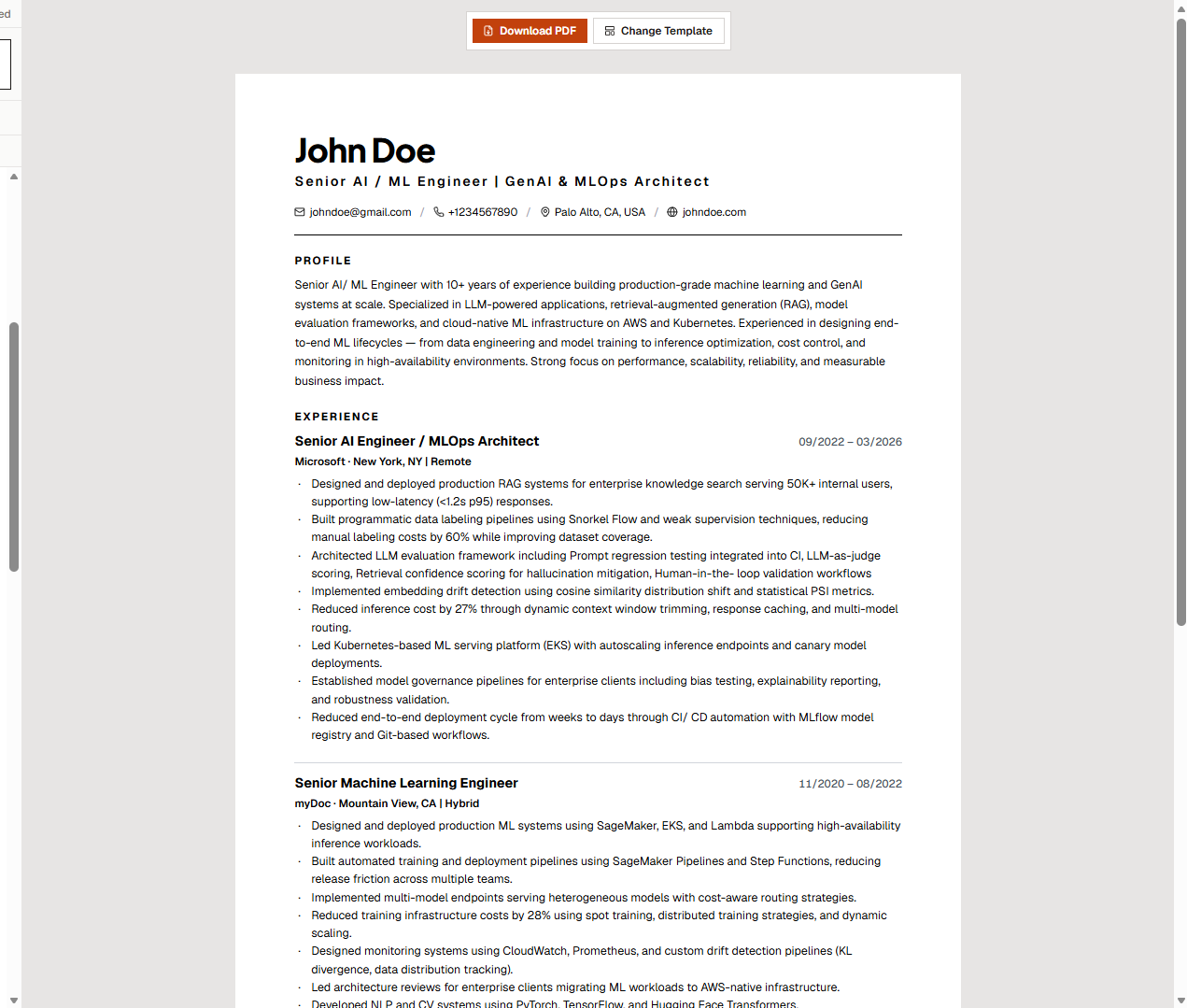
myDoc is a CV builder and a writing editor in one workspace. Build a resume from scratch, modernize an old one, tailor it to a job or open a blank page and write a project brief, report, or meeting notes. Every word stays grounded in your real experience.
No credit card required. No document limit. Free forever.
Start from scratch
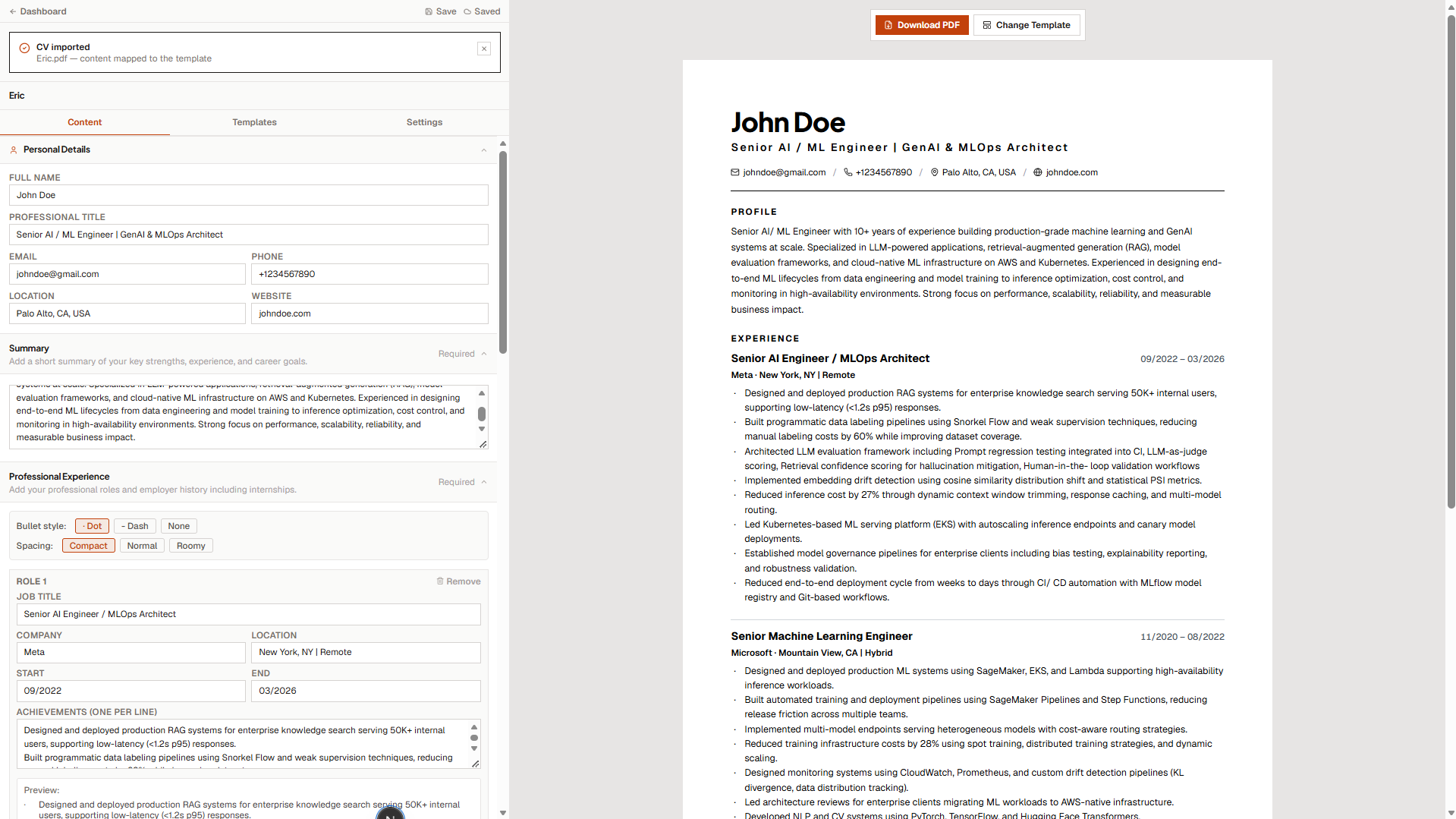
Build a new CV section by section with live preview.
Upload and modernize
Bring in an existing CV. We extract and restructure it.
Tailor to a job
Paste a job description, get a version matched to it.
Write documents
Project briefs, reports, meeting notes or a blank page.
The problem
Two jobs, and the tools are broken
For your CV. Sending the same CV to fifty jobs does not work anymore. Applicant Tracking Systems filter out generic CVs before a human ever sees them. Tailoring each CV by hand takes an hour you do not have. And most AI resume builders solve this by inventing experience you do not have they add skills, inflate titles, and rewrite achievements. You get caught in the interview. You get blacklisted from the company. You lose the opportunity.
For everything else. The other half of your job search - cover letters, project briefs, reports, meeting notes lives in a different app. Usually Word, Google Docs, or a notes tool that was never designed for professional documents. You copy and paste between windows, reformat everything by hand, and lose track of what you wrote where.
There is a better way.
What myDoc does
One workspace for CVs and everything else
myDoc handles two jobs at once. It takes the CV you already have and makes it work for the specific job you are applying for parsing with AI, rewriting your profile and skills to match the role, and exporting a clean, ATS-friendly PDF. And when you need to write something else a project brief, a report, meeting notes, or just a blank page - the same workspace is a full writing editor. We never fabricate. We never invent. Everything you write is yours.
How it works
Three steps from old CV to tailored PDF
Importing an existing CV? This is the flow. Starting a document from scratch? Skip to the writing editor.
Upload your file
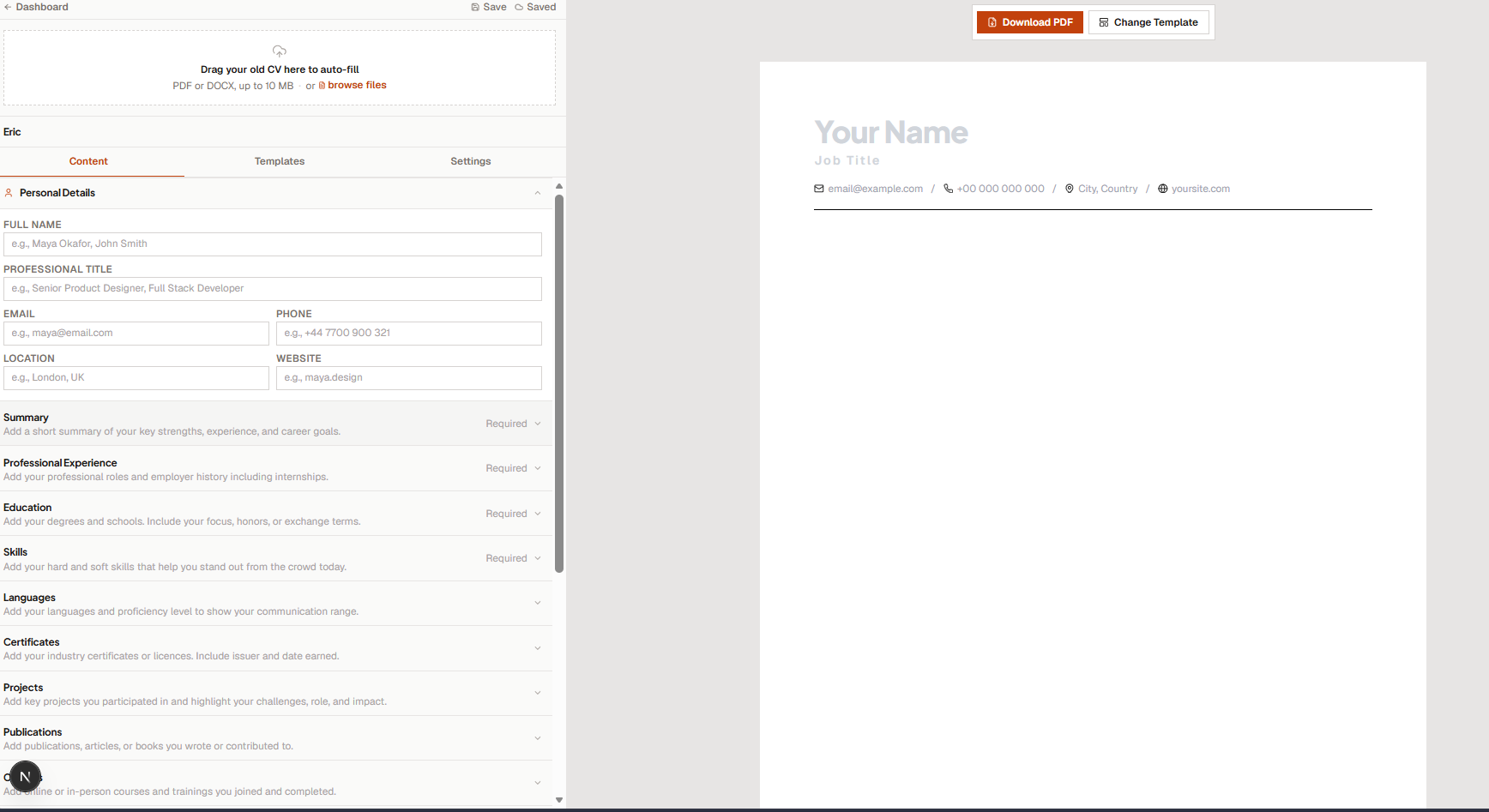
Drop in a PDF or DOCX. We read the raw text and pull out your name, roles, education, and skills automatically. No copying and pasting field by field.
Review the extracted data
Every mapped field lands in the editor already filled. Check it, fix anything, and watch the preview update as you type.
Tailor to a Job
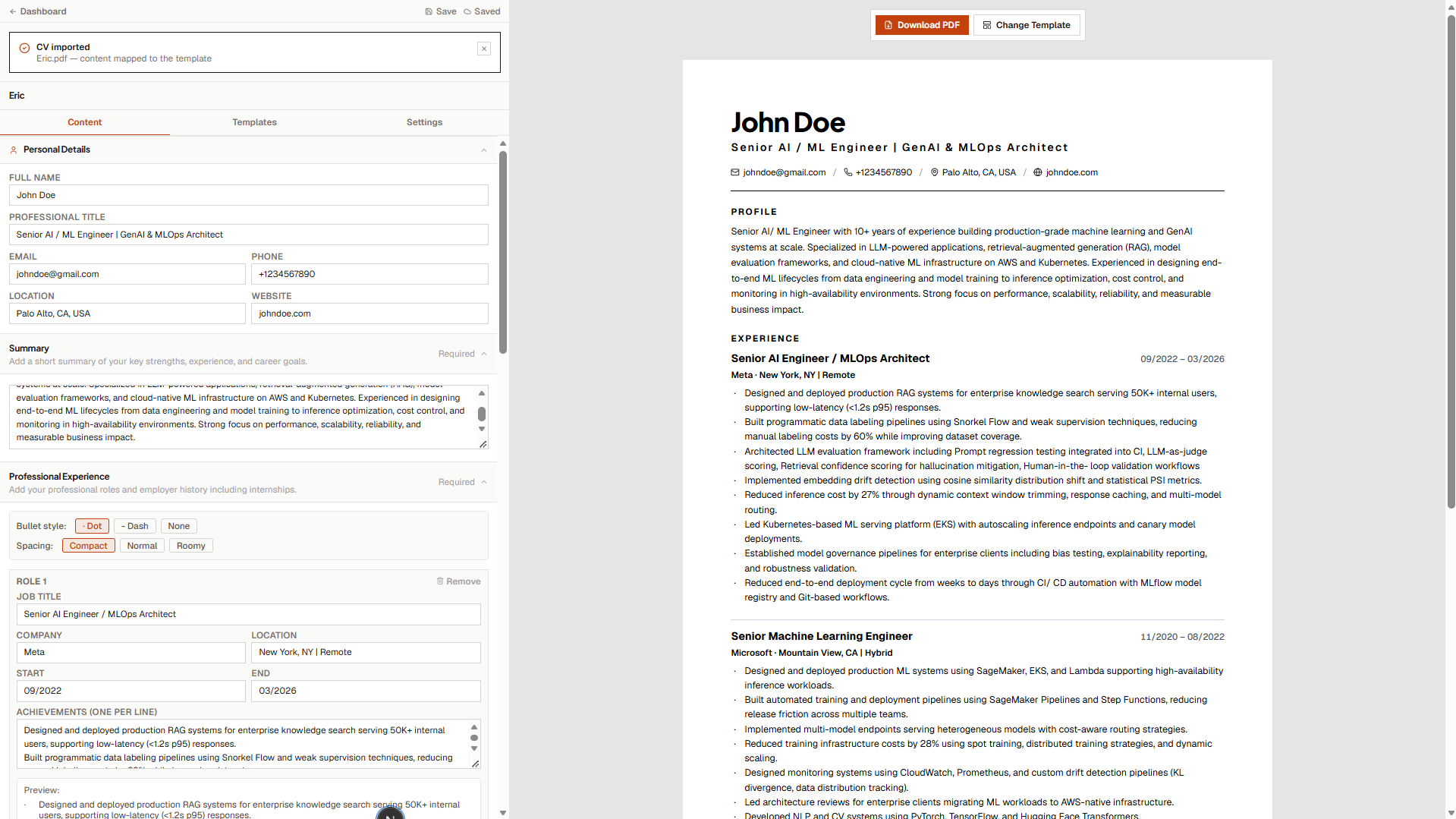
Tailoring that tells the truth
Most AI tailoring tools add skills you do not have, invent achievements, and inflate your title. myDoc does the opposite.
- We rewrite your profile summary to emphasize what matters for this specific job.
- We reorder your skills so the relevant ones come first.
- We never add a skill unless it is supported by evidence in your CV.
- We show you a match score with matched and missing keywords.
- We list the gaps honestly. If the job wants Rust and you have never touched Rust, we tell you. We do not fake it.
You see every change before it is saved. You accept what you want. The original CV is never modified.
Upload and Parse
From any CV to structured data in seconds
We accept PDF and Word documents. Under the hood, we extract the text, parse it, and produce structured JSON with the fields below.
- Name, title, email, phone, location, website
- Summary or profile
- Experience: role, company, dates, bullets
- Education: degree, school, dates, details
- Skills
If the AI call fails, a local fallback parser takes over. You always get results.
// Extracted and structured
{
"fullName",
The Editor
One editor. Two jobs.
Build a CV with the structured editor or open a document and write freely, like you would in Word. Both live in the same workspace, both autosave, and both export to a clean PDF.
Live A4 preview
See exactly how your CV will look on paper while you type.
Auto-fit to two pages
If your CV runs long, we tighten spacing automatically. If it still does not fit, we tell you honestly and suggest trimming content, not shrinking fonts below readable sizes.
Bullet control
Choose dot, dash, or no bullets. Adjust line spacing. The preview updates instantly.
Rich-text writing
Headings, bold, italics, underline, lists, quotes, code, links, and alignment. Everything you expect from a real writing editor.
CV templates
Recruiter-tested layouts built for ATS parsers and human reviewers alike. Switch layouts with one click your content stays exactly where it is.
Document templates
Blank pages, project briefs, reports, meeting notes, and more. Each template gives you a strong structure you can edit freely.
Autosave everywhere
Every keystroke is saved to the cloud. Close the tab, switch devices, come back later your work is exactly where you left it.
Everything you get
Every feature, no marketing fluff
myDoc is a CV builder, a writing editor, a PDF converter, and a sharing platform. All free, all in one workspace.
AI CV parsing
Upload any PDF or Word CV. We extract and structure it automatically.
Write documents, not just CVs
Project briefs, reports, meeting notes, and anything else. A proper writing editor built in.
Tailor to any job
Paste a job description, get a tailored version in 60 seconds.
Public sharing
Turn any CV or document into a link. No login required for viewers. Revoke any time.
PDF to Word
Upload a PDF and download an editable Word document. Runs entirely in your browser.
Sign in with LinkedIn
Create an account in one click with your LinkedIn profile. No password to remember.
Install as an app
Add myDoc to your home screen on iOS, Android, or desktop. Push notifications built in.
Search
Find any CV or document by title in two keystrokes. Live filtering as you type.
Roadmap
What we have shipped, and what is next
An honest look at what is live today, what we are actively building, and what we are still exploring. No fake promises, no vaporware.
Public sharing links
Turn any CV or document into a link. Send it to a recruiter or client. No login required on their end. Revoke any time.
Sign in with LinkedIn
Create an account in one click with your LinkedIn profile. No password to remember.
Search across documents
Find any CV or document by title in two keystrokes. Live filtering as you type.
Invoice template
A client-ready layout with line items, totals, and payment details. Available in the document editor.
Install as an app
Add myDoc to your home screen on iOS, Android, or desktop. Push notifications built in.
PDF to Word (beta)
Upload a PDF and download an editable Word document. Runs entirely in your browser.
Trust and ethics
Our single rule: never lie on your behalf
Every other AI resume tool on the market will happily add skills you do not have. They rewrite your experience to sound more impressive than it was. They make you look like a better candidate than you are.
We do not do that.
- We never add a skill without evidence in your CV.
- We never change job titles, dates, or companies.
- We never invent achievements.
- We never hide gaps. If a job wants five years of Kubernetes and you have never touched Kubernetes, we tell you.
Tailoring should help you present your real experience better. Not help you lie about it. That is the whole point of myDoc.
Pricing
Free. No asterisks.
myDoc is free to use. No credit card, no trial that expires, no limit on how many CVs you can create.
Free plan
Everything you need to apply confidently
- Unlimited CVs
- Unlimited PDF exports
- AI parsing on every upload
- Tailor to any job description
- All six templates
- Cloud save with any account
FAQ
Questions, answered honestly
Yes. No credit card, no trial period, no document limit. We use free-tier infrastructure for AI and storage, so we can offer this at no cost. If we ever add paid tiers for heavy usage, existing users keep free access.
Ready to write something worth sending?
Upload your existing CV and tailor it in under 60 seconds. Or open a blank page and start writing. Whatever you create, every word is yours nothing fabricated, nothing lost.
Free forever. No credit card. No limits.